


Weather You
4.024.00 Reviews
App Specs
- Version
- Varies with Device
- Updated On
- License
- Free
- Downloads
- 50,000+
- Developer
- rodrigmatrix
- Categories
- Weather
- Platform
- Android
Screenshots
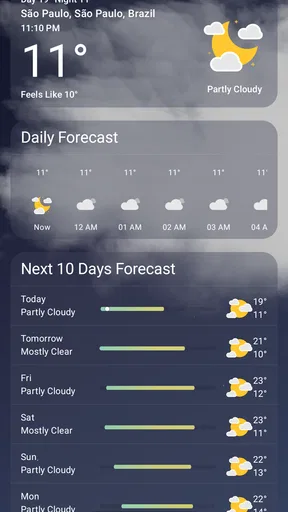
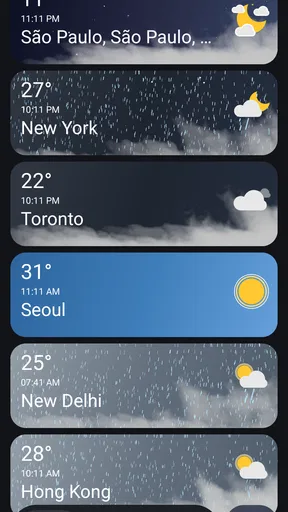
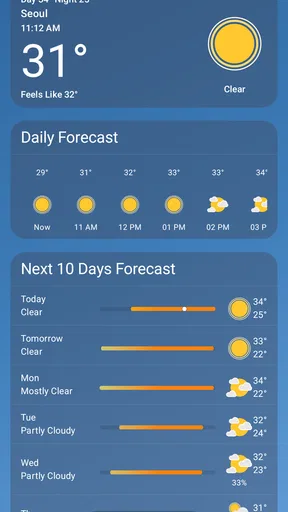
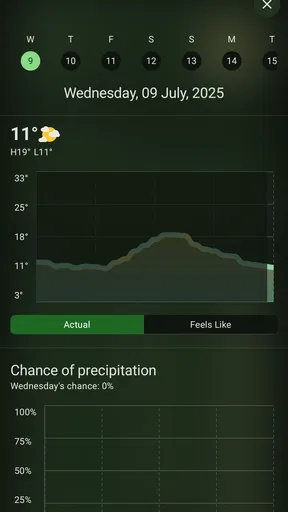
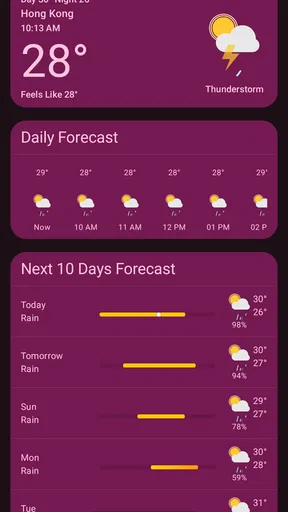
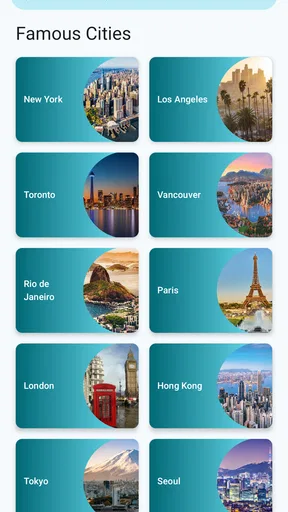
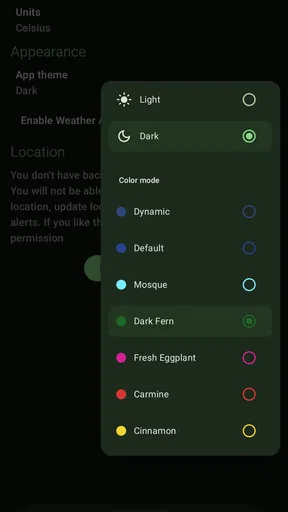
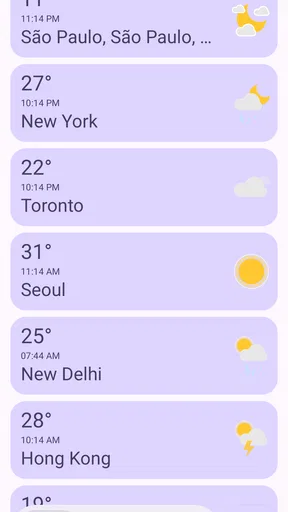
 Analysis by AppCompare
I like weather apps that get out of my way. When I open one, I usually want a quick look at the current conditions, a forecast I can understand without studying a dashboard, and an interface that does not make a simple question feel like a chore. Weather You takes that focused approach, pairing weather information with a Material 3 Expressive design from developer rodrigmatrix. After spending time with it, I found it most appealing as a clean, lightweight-feeling choice for everyday checks rather than as a full command center for serious forecasting.
The app is free, available to everyone, and has built a modest but meaningful audience, with more than 50 thousand installs. Its average score sits at 4.0 from nearly a thousand ratings, which suggests a generally positive reception without pretending that every user will have the same experience. It first appeared on April 14, 2022, and its short store description is simply “Weather You.” That minimal identity matches the product itself: the design is the main invitation, while the usefulness depends on whether you prefer a calm, modern presentation over a crowded weather toolkit.
How Weather You feels in everyday use
I find Weather You works best when I treat it as a quick decision aid, not a screen to study. Its expressive design gives the forecast a clear place in my routine, and that makes it easier to check before heading out without getting pulled into unrelated browsing. Next, I’ll focus on the first setup choices that help make that everyday glance useful.
A quick start is the app’s strongest performance advantage
My first impression is that Weather You is built for short sessions. The Material 3 Expressive styling gives the app a contemporary Android feel, with visual hierarchy that makes the main weather information easier to scan than a page packed with banners, maps, articles, and promotional panels. That matters when I am standing by the door deciding whether to take a jacket or when I am checking conditions before leaving for work.
I would not describe speed using a stopwatch, because the experience depends on the phone, connection, and weather service involved. Still, the app’s focused presentation creates the impression of a quick path from opening the app to understanding the forecast. There are fewer visual distractions competing for attention, so the perceived speed is helped by the interface itself. An app can feel slow even when its data arrives promptly if the user has to hunt for the important information; Weather You avoids much of that friction.
That simplicity is especially useful for people who check weather several times a day. I can imagine opening it in the morning, checking again before a walk, and returning later when plans change without feeling that each visit requires a complete tour of the interface. The design works best when the question is direct: what is it like outside, and what should I expect soon?
There is also a practical benefit to a visually consistent weather screen. When the layout remains familiar, I spend less mental effort interpreting it. I do not need to relearn where the current condition or forecast belongs every time I open the app. For users who value a tidy home screen and predictable navigation, this is a more important strength than a long list of extra tools.
Worth Reading Before You Choose

Flipboard Shows What News Apps Must Do Beyond the Feed

Switching to Android Auto Means Rethinking Your Driving Routine

Google Calendar Makes a Crowded Week Easier to Manage

Ludo King Makes the Most of the Minutes Between Plans

Baby Panda World Brings Quick Play to Modern Phones, but Its Game Library Feels Busy

ESPN’s Live Game View Makes Following Close Games Easier
What happens during heavier weather-checking sessions
Weather apps become more demanding when I move beyond a single glance. Repeatedly changing locations, examining longer forecast periods, refreshing information during unsettled weather, or leaving the app open while planning an outing can expose differences between a compact design and a feature-heavy alternative. Weather You feels better suited to the first kind of use than the second.
If I were planning a day trip, I would use it as an initial check rather than my only source of information. Its clean approach helps me understand the broad situation quickly, but a dedicated forecasting service with specialized radar, storm tracking, or outdoor planning tools may be more appropriate when conditions are complicated. That is not a failure of the app; it is a question of scope. A straightforward weather companion should not be judged as though it were a professional meteorology workstation.
One useful workflow is to check the app at three decision points instead of constantly refreshing it: before leaving home, before starting the main activity, and before returning. This reduces unnecessary checking and makes the app’s concise presentation work in its favor. For a commute, school run, or short walk, that rhythm is enough to turn the forecast into a practical decision rather than a stream of distracting updates.
For heavier use, I would also keep expectations realistic about loading. Weather information has to be retrieved, and any app can appear to pause when the connection is weak or the service is busy. Weather You’s uncluttered design may make waiting feel less frustrating, but it cannot remove the underlying dependency on current data. If an immediate answer is essential during travel in an unreliable network area, I would check the forecast ahead of time rather than rely on a last-second refresh.
Stability matters more than decorative polish
In my view, the app’s stability is closely tied to its restrained purpose. There are fewer competing tasks to juggle, which makes it easier to treat Weather You as a dependable routine tool. I would be comfortable using it as the weather tile I open each morning, especially because the interface does not encourage me to wander through unrelated content.
At the same time, a stable interface does not guarantee that every weather update will always be equally satisfying. Forecast information can change, location context can matter, and network conditions can interrupt the smoothest experience. The sensible way to use this app is to distinguish between a display problem and a changing forecast. If the information looks different later, that may reflect updated conditions rather than an app malfunction.
Recovery is another part of reliability that is easy to overlook. When I return to an app after using other applications, I want to understand where I am immediately. Weather You’s simple visual language helps with that. A compact weather screen is easier to re-enter than a complicated dashboard with many sections, especially when I am using the app one-handed or in a hurry.
For anyone concerned about whether it will become a daily burden, the app’s main advantage is that it does not ask for much attention. It is not built around constant interaction. I can use it, close it, and return later without feeling that I have left an unfinished task behind. That makes it a good match for routine weather awareness rather than continuous monitoring.
Resource demands and older-device considerations
I would choose Weather You for a phone where I want weather information without adding another visually heavy experience. The expressive Material 3 presentation gives it personality, but the app remains focused on one category instead of combining weather with news, shopping, video, or social feeds. That narrow purpose should appeal to people who prefer to keep their device experience organized.
Still, I would avoid making broad claims about battery use, memory consumption, or performance on every handset. Those details can vary with the device, operating system, connection, and how often the app is opened. What I can say from using the app’s approach is that its interface does not feel designed around prolonged browsing. It encourages brief checks, which naturally limits how much time I spend keeping it active.
On an older or less powerful phone, a simple weather workflow is generally easier to live with than a highly animated dashboard, but the visual style may still matter to personal preference. Some users enjoy expressive design, while others want the most stripped-down screen possible. If you are sensitive to decorative interface elements, you may prefer a plainer weather utility even if it offers fewer visual touches.
A practical tip is to treat the app as a deliberate check-in tool instead of leaving it open while doing other things. Open it when you need the forecast, make the decision you came for, and move on. That behavior fits the app’s strengths and avoids turning a small utility into another constantly active screen in your day.
Where it fits beside familiar weather alternatives
The usual alternatives fall into two broad groups. Some are built into the phone or search experience and are convenient because they are already nearby. Others are large weather services that provide extensive charts, maps, alerts, radar layers, and detailed forecasting. Weather You sits between those extremes in spirit: it offers a dedicated weather experience with a distinctive modern interface, but it does not present itself as an all-purpose information hub.
Compared with a built-in weather panel, Weather You can feel more intentional. Opening a dedicated app gives the forecast its own space instead of treating it as a small accessory to another screen. That is useful if you care about the visual experience and want a weather app that feels chosen rather than merely included with the phone.
Compared with a full-featured weather service, the trade-off is different. You may prefer Weather You when clarity and a calmer presentation matter more than specialized tools. You should look elsewhere if your decisions depend on detailed storm development, advanced maps, or a deep set of outdoor-oriented indicators. I would not replace a specialist service with this app for demanding travel, boating, mountain activities, or severe-weather preparation.
The choice also depends on how much information you genuinely use. Many weather applications expose a large amount of data that looks impressive but rarely changes my decision. Weather You is more attractive when I want the useful core without turning a forecast check into research. That makes it a better companion for ordinary routines than for users who enjoy analyzing every available weather layer.
Who will get the most from it
I think Weather You is a strong fit for someone who wants a free weather app with a modern Android design and a quick, readable routine. It suits commuters, students, families checking the day before leaving, and anyone who prefers a focused screen over a portal filled with extras. The Everyone content rating also makes it broadly approachable for household use.
It is particularly well matched to people who make simple weather decisions: whether to carry an umbrella, choose lighter clothing, move a walk earlier, or prepare for a colder evening. In those situations, the app’s value comes from reducing hesitation. I do not need a lesson in meteorology; I need a clear view that helps me act.
The app is less convincing as a sole solution for users who need highly specialized forecasting. If you work outdoors, plan activities around rapidly changing conditions, or depend on detailed warning information, a more comprehensive service may deserve the space on your phone. You can still keep Weather You for quick checks, but I would not ask it to replace every other weather resource.
There is also a personal design question. If you dislike Material 3 Expressive styling or prefer a dense list of raw figures, Weather You may not feel as natural as a utilitarian alternative. Its visual character is part of its appeal, so the right user is someone who sees the interface as an aid to understanding rather than decoration added on top.
My verdict after using it as a daily weather companion
Weather You succeeds because it keeps the central weather task easy to approach. The app from rodrigmatrix feels most convincing when I open it for a fast answer, read the conditions, and return to whatever I was doing. Its free price removes the usual hesitation about trying it, and the broad age rating makes it an uncomplicated recommendation for general household use.
The key trade-off is simple: Weather You favors a focused, expressive experience over deep specialist forecasting. That is a sensible choice for everyday weather checks, but it means I would pair it with another source when the consequences of a forecast are higher or when I need advanced visual tools.
After its release in 2022, the app has built enough visibility to show that the concept resonates with a real group of users, while its 4.0 average also leaves room for individual preferences and device-specific experiences. I would recommend trying it if your current weather app feels cluttered, distracting, or visually dated. I would skip it only if you already depend on detailed meteorological features or want the most bare-bones possible display.
For me, the best way to use Weather You is as a calm first stop: check it before heading out, use the forecast to make a practical choice, and avoid demanding that a compact app become a full weather laboratory. Within that role, it is an appealing and sensible free option, with its speed of use coming less from flashy claims than from making the important information easier to reach.
Pros
- Clean interface makes forecasts easy to scan at a glance.
- Useful weather details help with planning commutes and outdoor activities.
- Location-based forecasts reduce the need for manual city searches.
- Weather information is presented in a simple
- user-friendly format.
- Suitable for users who want quick updates without complicated tools.
Cons
- Forecast accuracy may vary depending on location and data coverage.
- Some features may require location access to work properly.
- Frequent weather alerts can become distracting for some users.
- The app may use extra battery when location tracking stays enabled.
- Advanced weather data may be limited compared with specialist apps.
FAQs for Weather You
What is Weather You, and what can I use it for?
Weather You is a weather application designed to provide current conditions, forecasts, and practical information for locations you choose. After installing it, you can typically check temperature, precipitation, wind, humidity, and other details from a simple dashboard. It is useful for planning commutes, trips, outdoor activities, or everyday routines, although forecasts should always be treated as estimates rather than guarantees.
Does Weather You require my location, and can I use it without enabling GPS?
Weather You may request location access so it can automatically display weather conditions for your current area. You are not necessarily required to grant this permission, since most weather apps allow users to search for and save cities manually. If privacy is important to you, choose approximate location access when available, or disable location services and enter destinations yourself to limit background location use.
Is Weather You free to download, or does it include paid features?
Weather You may be available as a free download, but the exact pricing model can depend on the platform, region, and current version. Free access may include basic forecasts while optional purchases or subscriptions can unlock extras such as an ad-free experience, extended forecasts, advanced weather maps, or additional widgets. Check the official store listing before downloading to confirm current costs.
How accurate are Weather You forecasts and weather alerts?
Weather You relies on meteorological data and forecasting services, so its accuracy can vary according to location, forecast range, local conditions, and the quality of available data. Short-term forecasts are generally more dependable than predictions several days ahead. Alerts can be helpful for severe weather, but they should not replace official warnings from local authorities, emergency services, or national weather organizations.
What permissions and privacy considerations should I review before installing Weather You?
Before installing Weather You, review the permissions requested in the Google Play Store or Apple App Store. A weather app may request location access, internet connectivity, and permission to send notifications or use widgets. Location data can be sensitive, particularly if background access is enabled, so check the app’s privacy policy and choose only the permissions needed for the features you intend to use.


